


Tube Video Downloader
4.0401.00 Reviews
App Specs
- Version
- 5.3
- Updated On
- License
- Free
- Downloads
- 1,000,000+
- Developer
- Media Tools Studio
- Categories
- Video Players & Editors
- Platform
- Android
Screenshots
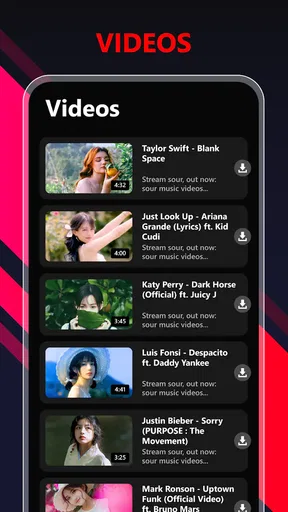

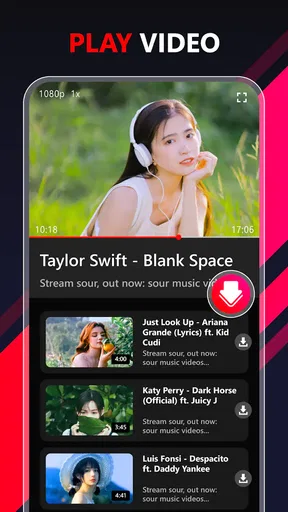
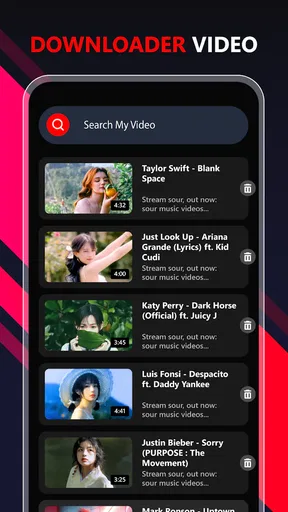



 Analysis by AppCompare
Ever found yourself in a situation where you stumbled upon an amazing video online and wished you could save it for later? Well, that's where Tube Video Downloader swoops in to save the day. Let me walk you through my experience with this app and why it might just become your new best friend for video downloading.
Getting Started with Tube Video Downloader
First things first, downloading Tube Video Downloader is a breeze. Available for both Android and iOS, it’s just a tap away on your app store. Once installed, the interface is clean and straightforward, which is a huge plus for someone who doesn’t want to deal with complicated settings or a steep learning curve. You know, simplicity really goes a long way when you just want to grab some videos without a hassle.
Features That Stand Out
Now, let’s dive into what makes this app tick. The app supports a wide range of video formats, so whether you're downloading from YouTube, Vimeo, or any other platform, it’s got you covered. The download speed is impressive too. I mean, who likes to wait forever for a video to download, right?
One of the coolest features, in my opinion, is the built-in browser. It makes searching and downloading videos a one-stop-shop experience. You don’t have to switch between apps, which is a real time-saver. Plus, with the playlist creation option, organizing your downloaded content becomes a piece of cake. You can just kick back, relax, and watch your favorite videos offline without any interruptions.
Is It User-Friendly?
Let me tell you, navigating through this app is as easy as pie. The user interface is intuitive, and everything you need is right there on the main screen. Whether you’re tech-savvy or a complete newbie, you’ll find your way around without breaking a sweat. The app also offers tutorials and tips for first-time users, which is a nice touch.
Another aspect worth mentioning is the support for multiple languages. This feature ensures that users from different regions can comfortably use the app, making it accessible to a wider audience. It’s little things like this that make the user experience smoother and more inclusive.
Safety and Security
We all know how important it is to keep our data safe these days. Thankfully, Tube Video Downloader takes security seriously. The app doesn’t ask for unnecessary permissions, which is a relief. It also has anti-virus scanning for each download, so you can rest easy knowing your device is protected from potential threats.
Worth Reading Before You Choose

EA SPORTS FC Mobile 26 Is a Bigger Football Game, but It Takes Time

Flipboard Shows What News Apps Must Do Beyond the Feed

Switching to Android Auto Means Rethinking Your Driving Routine

Google Calendar Makes a Crowded Week Easier to Manage

Ludo King Makes the Most of the Minutes Between Plans

Baby Panda World Brings Quick Play to Modern Phones, but Its Game Library Feels Busy
Moreover, the app updates regularly to fix bugs and improve performance. This constant attention to detail ensures that you’re getting the best possible experience every time you use it. It’s always a good sign when developers are actively working to enhance their app.
Final Thoughts
So, is Tube Video Downloader worth a spot on your device? If you ask me, it absolutely is. With its user-friendly interface, fast download speeds, and robust security features, it ticks all the right boxes. Whether you’re downloading videos for offline viewing or just want an easy way to manage your media, this app is up to the task.
In a nutshell, if you’re on the hunt for a reliable video downloader that doesn’t complicate things, this app is definitely worth checking out. Give it a whirl and see how it fits into your digital life. Happy downloading!
Pros
- Fast download speeds for videos.
- Supports multiple video formats.
- User-friendly interface design.
- Allows batch downloading of files.
- Offers built-in video player.
Cons
- Contains intrusive ads during use.
- Limited features in free version.
- Requires permissions for downloads.
- Not available on official app stores.
- Lacks advanced download settings.
FAQs for Tube Video Downloader
Is Tube Video Downloader free to use?
Yes, Tube Video Downloader offers a free version that allows users to download videos from various platforms. However, there may be in-app purchases or premium features that require payment. Be sure to check the app’s description on the store for any potential costs or subscription options.
Can I download videos from any platform using Tube Video Downloader?
Tube Video Downloader supports a wide range of popular video platforms, but not all. It's important to check the app’s compatibility with specific sites you’re interested in downloading from. Some platforms may have restrictions or legal policies that prevent downloading.
Is it legal to download videos using Tube Video Downloader?
The legality of downloading videos depends on the content's copyright and the policies of the platform. It's crucial to ensure you’re downloading videos for personal use and not infringing on any copyrights. Always review the terms of service of the website from which you’re downloading.
Does Tube Video Downloader support high-quality video downloads?
Yes, Tube Video Downloader typically supports high-quality video downloads, including HD and sometimes even 4K, depending on the source video. However, the quality options may vary based on the platform and the original video’s available resolutions.
Are there any safety concerns with using Tube Video Downloader?
While Tube Video Downloader is generally safe, always download the app from reputable sources like the Google Play Store or Apple App Store to avoid malware. Make sure to review permissions requested by the app and check user reviews for any reported security issues.


